Guided SOP checklists
Turn each support procedure into clear steps, safe branches, notes, feedback, and a final summary agents can follow live.
Chrome SOP guide for support teams
FlowGuide keeps guided decision flows, notes, approved templates, and hotkeys beside the tickets your team already handles, so agents resolve faster, stay consistent, and learn by doing instead of memorizing every process.
Now available in the Chrome Web Store. No account required to try local flows.
Find the right SOP
Search by issue type and open the approved process in seconds.
Follow the process step by step
Use clear instructions, safe branches, and notes without leaving the ticket.
Train agents through real tickets
Let new hires practice the process while FlowGuide keeps each step visible.
Send approved replies faster
Expand reusable responses with shortcuts and keep answers on-brand.
When processes live in docs, agents lose time searching, new hires memorize too much, and QA finds inconsistent answers. FlowGuide puts the process beside the work.
Turn each support procedure into clear steps, safe branches, notes, feedback, and a final summary agents can follow live.
Reduce repeated typing with approved replies, placeholders, and shortcuts that expand in editable fields.
Capture ticket context as the agent works and keep it attached to the flow for the next step or teammate.
Admins standardize approved flows and templates across the team while authorization stays server-side.
Template matching runs entirely in your browser, so private text typed into ticket fields stays on the device.
Train agents by guiding real ticket handling, not by asking them to remember every escalation path before they start.
Guided flows
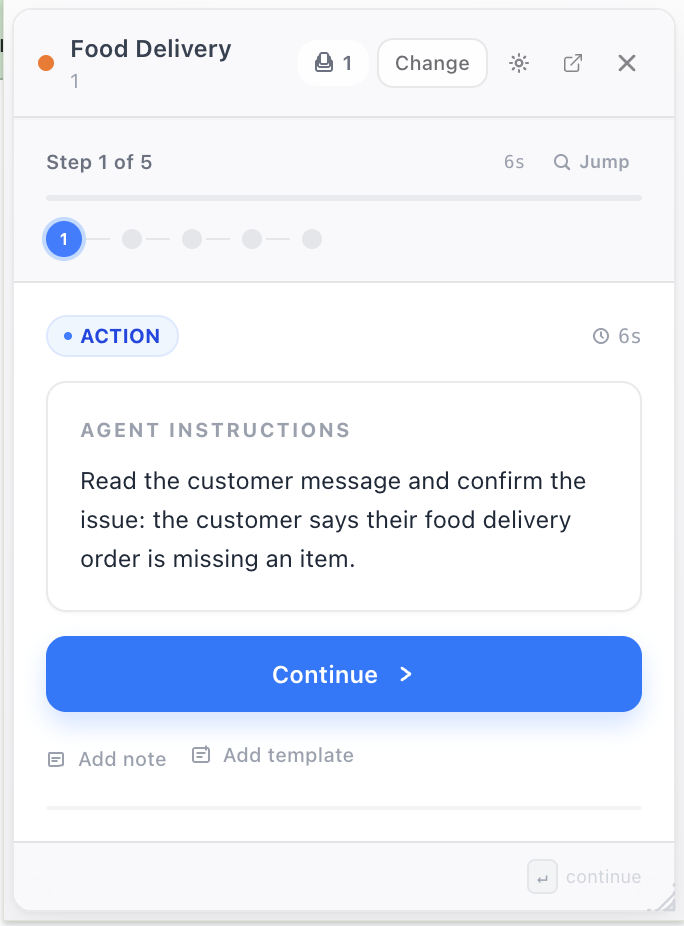
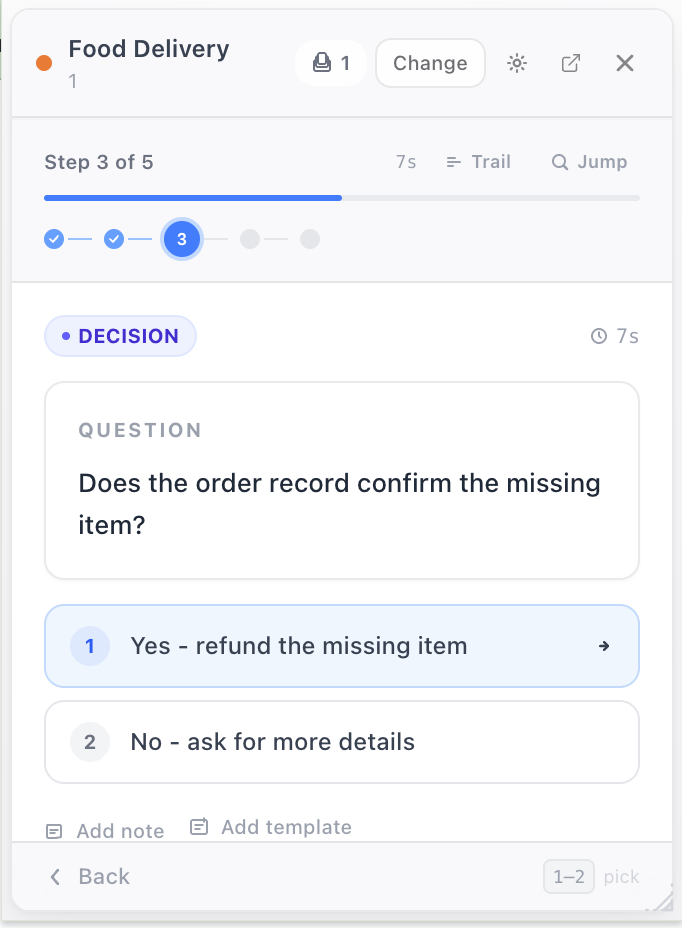
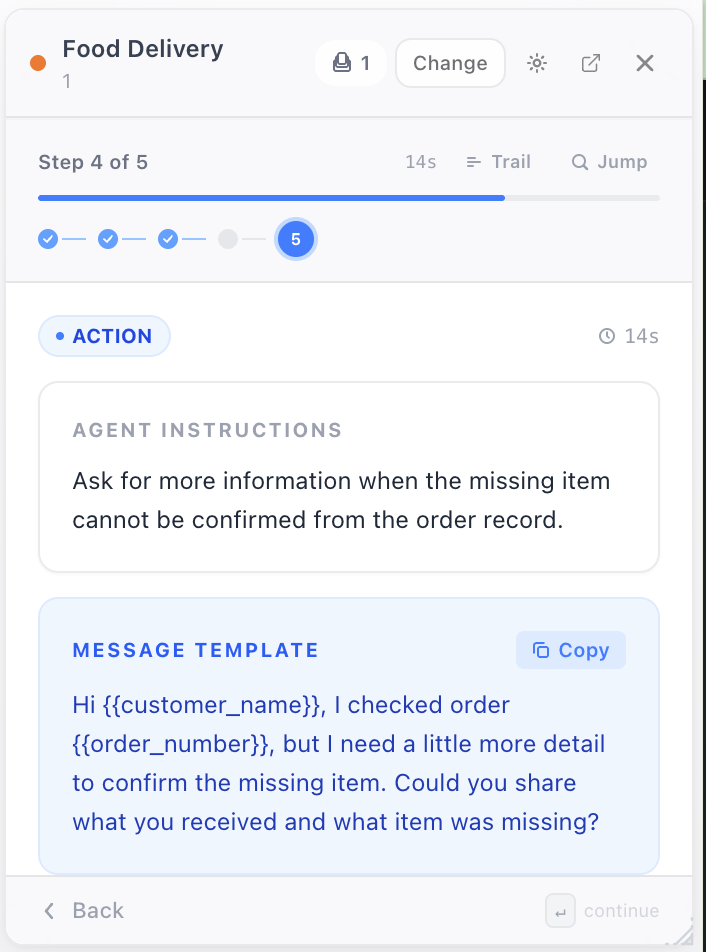
Start a decision flow and FlowGuide walks every agent through it one step at a time: clear instructions, branching questions, notes, and ready-to-send templates so handling stays consistent no matter who picks up the ticket.
Template expansion
FlowGuide watches editable fields locally and swaps your shortcut for the full, approved message the moment you type it. No copy-paste, no switching tabs.
Free Chrome install
FlowGuide is free to install from the Chrome Web Store. Agents can try local flows without an account. Team workspace is available when signed in, so admins can share flows and templates later.